Forums
-
Dune Games
-
- 69.5k
- posts
-
- 24.9k
- posts
-
- 22.5k
- posts
-
- 7.3k
- posts
-
-
General Discussion
-
- 23k
- posts
-
- 92.1k
- posts
-
- 27k
- posts
-
- 16.3k
- posts
-
- 13.3k
- posts
-
- 55.8k
- posts
-
-
The Terminal
-
- 1.1k
- posts
-
- 4.6k
- posts
-
- 962
- posts
-
- 219
- posts
-
-
Hosted Sites
-
- 3.2k
- posts
-
- 499
- posts
-










-
Who's Online 1 Member, 0 Anonymous, 169 Guests (See full list)
-
Posts
-
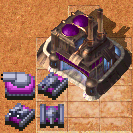
 haha, naww. I gotta be considerate of streamers and let's players with whatever music I ACTUALLY put in the game, gotta be reasonably careful about copyright and stuff. as for me, I listen to all sorts of crap while drawing up new things. gotta have some high energy tunes to stay focused and stuff mini-Reactors? they're 40 power while Reactors are 200. they have various perks and drawbacks. one of my favorite uses for them, personally, is just getting the first Refinery up sooner since it fulfills the prerequisite the same as a regular Reactor does. a single mini-Reactor can support a basic turret, or a Mining Rig, or a Barracks... they're a useful alternative to the regular Reactor and can round out all sorts of build orders rather well the APM cost of placing mini-Reactors, even with the fancy new B hotkey that allows you to barely have to click the sidebar, is reason enough to more often use regular Reactors. can't focus on what's going on out in the field while placing mini-Reactor after mini-Reactor, after all the power bar has more info if you were to mouse over it in-game. like so: so exactly what is given by power generators, or is taken away by other base structures, can be more closely examined in-game
 -
 Not gonna lie....i hope you have that music in the game!!! i couldnt stop laughing.....techno Dune 2k!!!! im gonna need to get some acid to play that.... also, whats the single tile wind farm? how do they scale? do 6 small ones give the same power and 1 big (regular) farm?
 -
 I did this type of test years ago; honestly I may not remember well, maybe I was really wrong, but when I mean "survive with 1-2 shoots" may even be different tanks, not like always the Harkonne one. I don´t remember and don´t really care anymore. Anyway, as I mention, bullets have not 100% accuracy, they go slighly off, but if you really want to test, open the editor, set up like this, run the map and you can see. If you want to test more accurate, you can put them 1 tile next to each other, or you can use the advance placement to make them look at each other instead of up and having to turn, etc etc.
 -
next one's done, level 7. the link in the OP is the same. we're experimenting with some new features, like AA-only weapons... they're more complicated to add than one might expect because of how much existing game logic it messes with. we think we've got it at a fairly stable state, but do shoot me a DM, post here or hmu on discord or w/e, you know, the usual, if y'all find any problems with that crap. it could affect all sorts of things, not just the AA-capable units anyway, here's the changelog: and here's some more info about the map. the full map image, some dev commentary, all that SARD 07: ILLUMINATION I've got some clips here, for as long as Streamable allows them to stay up. these prior drafts were a little funny, a little buggy. that stuff should be resolved now. the first is way overtuned and I gave up at some point, and the second is a playthrough to completion with some inconvenient bugs, like one that kept me from manually targeting enemy structures with the Flame Turrets I was building in their base. yep, very troublesome take one: https://streamable.com/8fvc5r take two: https://streamable.com/06s216 that's all. good luck and have fun
-
 2 bullets away from dying isn't a tie. At least, not in my book. Its a victory. If in raw combat, the Harkonnen tank wins with 2 bullets away from dying. And with good micro, the Ordos tank wins with 2 bullets away from dying. Then it is fairly balanced. And indeed a skill issue. Then again, I asked what other factors are present. So I kept searching. 270 is the base damage. But against heavy targets, it is only 60%, or 162 damage. But even then... 2700 / 162 = 17 1800 / 162 = 12 (17-1) × 45 = 720, still an 20% advantage. (12-1) × 55 = 605 432 health remains on the Harkonnen tank. That is still 3 shots left. Gona see, if I can test this. I am just curious now.
-
-
Top Downloads
-
-
Popular Contributors
-
Forum Statistics
-
Total Topics21.5k
-
Total Posts372.2k
-